Sample Conversations with AI Buddy
Available in Text and Voice Conversation Support !
🗨 Example :
You: I teach high school science. What course should I take?
AI Buddy: Try the “Inquiry-Based Science Teaching” course on Coursera. Click here to start 👉 [link]
🗨 Example :
You: How do I use Google Classroom in Lao?
AI Buddy: Let me guide you step-by-step. Would you like a short video or written guide?
.jpeg)
Sample Conversations with AI Buddy
Navigate online learning platforms with help from AI Buddy
You can ask :
“How do I use Coursera?”
“Help me register”
“I need help with Microsoft Educator”
AI Buddy Response:
“Here’s a quick guide to get started with [platform name]. Do you want it in Lao or English?”
(Link to PDF, video, or step guide)

Peer-to-Peer Learning Among Teachers
Connects teachers across schools or regions with shared learning goals
Our Platform Support Peer Learning effectively .
-
Be connected with fellow teachers , discuss with peers (e.g., “Ask a colleague how they manage large classes”)
-
Discussion prompts for teacher group chats
-
Benefit from what was shared in group learning sessions
-
Join or start Webinars for teachers across schools or regions with shared learning goals


Start Learning with Google for Education
Google for Education is simple, free, and built for teachers. You’ll learn how to:
-
Use Google Classroom for assignments and grading
-
Collaborate with students using Docs, Slides, and Forms
-
Manage your class using Meet, Drive, and Gmail
-
Get certified as a Google Educator (Level 1 or 2)
👉 Start here: https://teachercenter.withgoogle.com

Teaching & Managing with Google Workspace
-
Google Classroom (The Hub): Organize your daily lessons, post announcements, and collect assignments digitally. Use "Topics" to keep your subjects clear and searchable.
-
Google Docs & Slides (Active Teaching): Use Docs for real-time collaborative writing and Slides for interactive presentations. Use the "Comments" feature to give students instant feedback while they work.
-
Google Forms (Smart Assessment): Create self-grading quizzes to save hours of marking. You get instant data on which students need extra help.
-
Google Drive (Organization): Store and share all your teaching resources in one place. Use the "Make a copy for each student" feature in Classroom so every student gets their own private worksheet.
-
Google Sheets (Tracking): Automatically track grades and attendance to see student progress at a glance.

Youtube into your Video
-
YouTube Auto-Translate: Use any educational video and click the Settings (gear icon) > Subtitles > Auto-translate to view captions in Lao or other languages. This helps students understand complex English content.
-
Google Vids (Video Creation): Use this AI-powered tool to turn your lesson outlines into videos.
-
Storyboard: Use the "Help me create" prompt to generate a video structure automatically.
-
Teleprompter: Record yourself clearly with a built-in script reader.
-
AI Voiceover: Convert your text into professional narration if you prefer not to record your own voice.
-
-
The Benefit: Create custom lessons in Google Vids, upload them to YouTube, and let students use Auto-Translate to learn in their preferred language.

Professional Learning for Teachers
UpSkill , Empower Your Teaching Journey – Learn Anytime with AI Buddy
Explore world-class courses, tools, and certifications .
For School and University Teachers
Coursera
LinkedIn Learning
British Council
Google for Education
Explore Learning Portals for Teachers
Microsoft Educator Center
EdApp
Commonwealth of Learning
Khan Academy for Teachers
ILO Training Toolkit for TVET Trainers
UNEVOC TVET Learning Platform
Commonwealth of Learning (COL) – Skills for Work
Atingi (by GIZ)
ITE Academy (Singapore)
For TVET Teachers (Technical & Vocational Trainers)
Asian Development Bank TVET Resource Hub
SkillsCommons
TESDA Online Program (Philippines)
Custom AI "Teacher Aide" Solutions
We specialize in building Custom AI-Assisted Teacher Aides tailored for schools, training academies, and enterprises. Our solutions help educators automate lesson planning, support multilingual students, and master digital tools like Google Workspace.
Empower your institution with AI today:
-
For Schools: Personalize learning and simplify classroom management.
-
For Academies: Scale your training with 24/7 AI tutoring.
-
For Enterprises: Support growth with digital marketing and financial literacy bots.
Get Started - Ready to transform your educational environment?

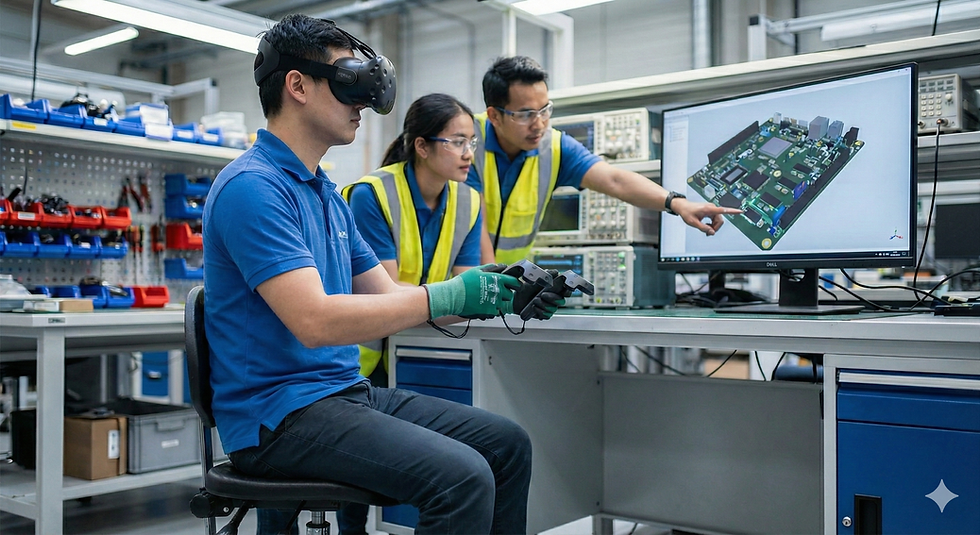
Low-cost immersive learning relies on a "Bring Your Own Device" model, utilizing the smartphones students already own as the primary display engine. Schools need only purchase affordable adapters, such as Google Cardboard or plastic viewers for under $10, to convert these phones into functional VR headsets. This setup allows students to access vast libraries of free training content on platforms like YouTube VR, where they can virtually tour factories or practice safety protocols. Furthermore, instructors can create their own localized curriculum by simply filming expert technicians with a consumer-grade 360-degree camera. Ultimately, this approach removes the need for expensive hardware, making advanced experiential training accessible and scalable for any vocational institution.
